Dynamic data driven shape style
Shapes such as lines, rectangles, and ellipses can also have a dynamic style. You can control the line width, line color, and fill color dynamically, driven by a data source, parameter, variable, or even a script expression.
To set the dynamic style of a shape item in the Designer, open the item’s settings dialog by double-clicking an existing item. In the item settings dialog, choose the Dynamic style tab in the bottom property panel.
Dynamic style settings
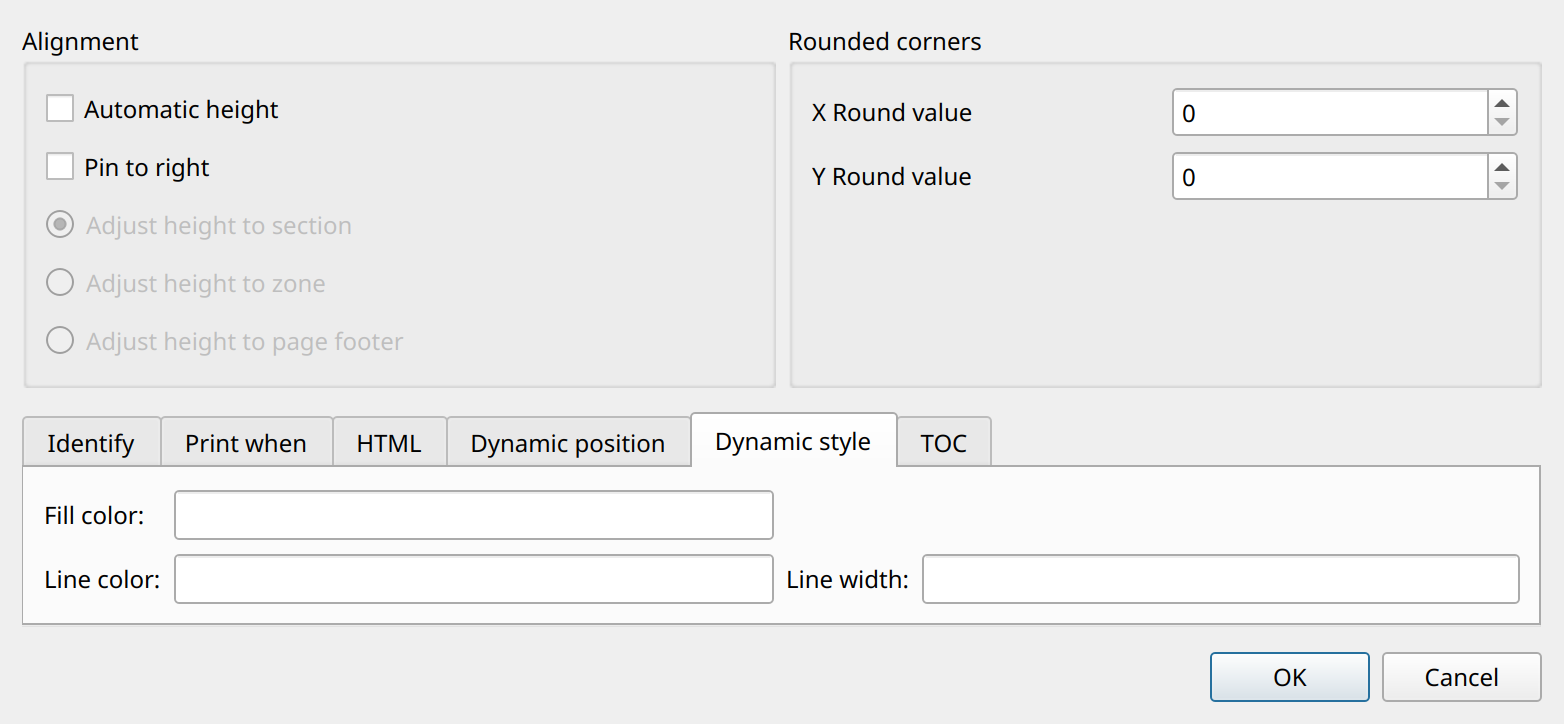
You can set the following properties. If you leave an option empty (this is the default), the setting is turned off and ignored.
-
Fill colorThe source of the item’s background (fill) color. -
Line colorThe source of the item’s line color. -
Line widthThe source of the item’s line width, measured in millimeters.
Each property can be a constant value or any expression: a data source, parameter, or variable reference such as $D{color},
or a script expression between <% %> markers. The expression is evaluated every time the item is rendered.
The result of a color expression must be a color name that Qt’s QColor recognizes, for example #ff0000 or red.
The result of the line width expression must be a number.